Limited-time Charter Member's Sale happening with huge savings!
Good only for the first 50 purchasers. Take advantage of the savings before they are gone.

The Perfect All-In-One Marketing Automation System for Financial Professionals

Get Started with Business Growth One - Choose Your Plan
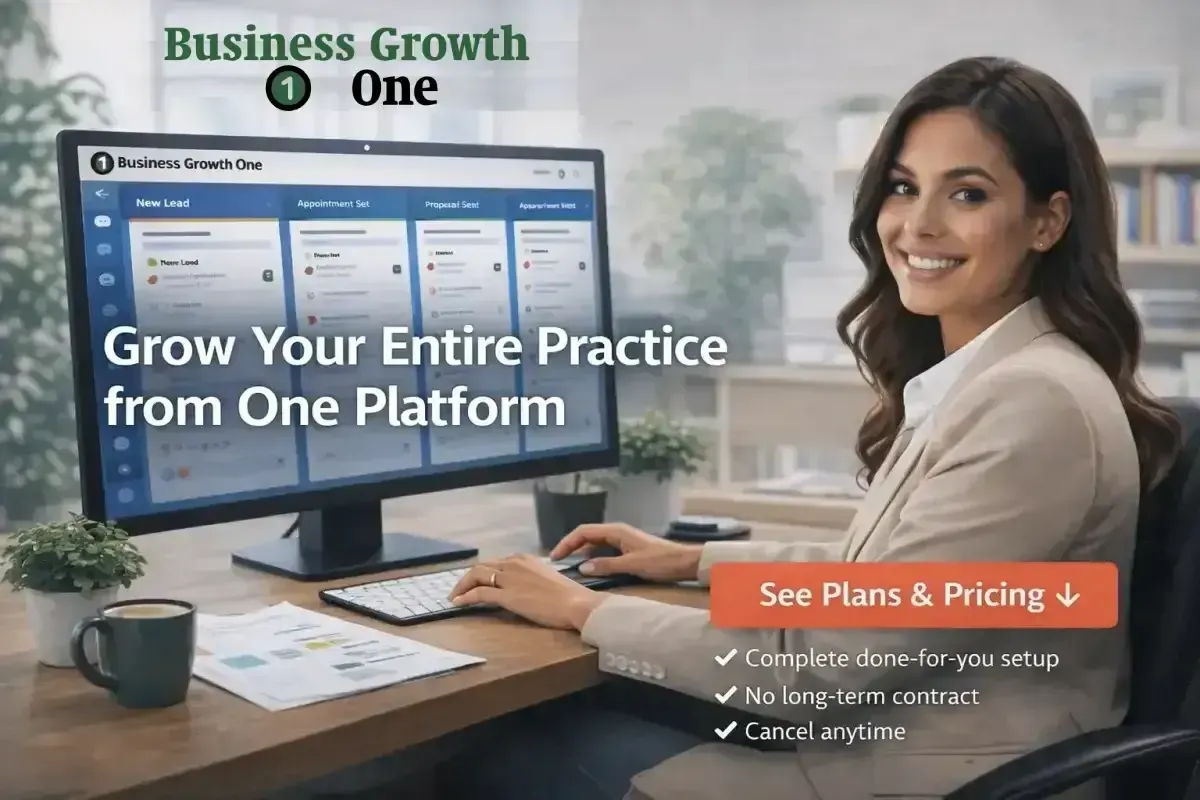
Stop Juggling 10-20 Tools. Grow Your Entire Practice from One Platform
Business Growth One gives you everything you need to attract leads, book appointments, nurture clients, and scale revenue - without the tech headaches. Replace your CRM, online appointment booking calendar, email marketing platform, social media scheduler, website and funnel builder, sales pipeline, payment processor, review management, AI tools and so much more with one powerful system built specifically for financial pros.
Get Clients. Keep Clients. Work Less. Profit More.
✓ Complete done-for-you setup ✓ No long-term contract ✓ Cancel anytime
88-Point Comprehensive Assessment
AI-Powered Action Plans
Built on Enterprise Platform
Business Growth One Lite Included














Your Current Tech Stack Is Holding You Back
But You Don't Have to Be Tech Savvy to Automate & Grow
1. Paying Too Much

You're juggling separate subscriptions for:
CRM & Contacts
Email Marketing
Appointment Calendar
AI Employee
Website/Funnel Builder
Sales Pipeline
Reputation Management
Social Media Scheduler
Communities & Courses
Automation & Workflows
Metrics & Analytics
Payment Processors
Surveys & Quizzes
Stat: $800-$1,800 USD/month: Average cost for using disconnected tools.
2. Wasting Time

Everything is unplanned and takes too long:
Switching between platforms
Manual data entry
Forgotten follow-ups
Technical troubleshooting
No automations
No integration
Stat: 10-15 hours/week:
Lost to managing disconnected systems
3. Losing Leads

None of your business apps talk to each other:
Leads fall through cracks
Manual follow-up is inconsistent
No visibility into your sales pipeline
Can't track what's working and what's not
Stat: 60-70%
of leads lost due to poor follow-up
The Truth: Your Tech Stack Can Save You Time & Money
What if you could replace 10+ tools with one powerful system - save $500-$1,300/month, reclaim 10+ hours/week, and never lose another lead? You can do that today.
Meet Business Growth One: Your All-In-One Client Growth System
Everything you need to run a modern financial practice - in one place, for one price.
Attract More Clients
Professional website & landing pages.
Lead capture forms & quizzes.
Smart AI chatbot for 24/7 engagement.
Social media planning & posting.
Review & reputation management.
Convert & Close Faster
Unified inbox (email, SMS, social DMs, calls, GBP, community).
Automated appointment booking.
Pipeline & opportunity tracking.
Intelligent follow-up sequences.
Proposals, contracts & payments.
Maximize Lifetime Value
Automated client nurture campaigns.
Membership & community portal.
Courses & educational content.
Invoicing & payment processing.
Referral & review automation.
And the best part? We set it all up for you.
You don't need to be tech-savvy. You don't need to figure out integrations. You don't need to spend weeks learning a new system. We configure everything, import your contacts, build your automations, and train you on the basics. Then you just start using it.
Is Business Growth One Right For Your Practice?
Business Growth One is PERFECT if you:
► Are a financial professional (accountant, bookkeeper, CPA, tax pro, planner, advisor)
► Currently juggling 5+ separate marketing tools
► Want to consolidate and simplify your tech stack
► Need marketing automation but can't afford big agency prices ($5K-$10K/month)
► Want done-for-you setup and ongoing support (not just software)
► Are ready to systematize your marketing and client communication
► Want a solution built by someone who understands financial services
Business Growth One is NOT right if:
► You're happy managing 10-20 disconnected tools
► You need an enterprise solution for 100+ person firms (we specialize in 1-25 person practices)
► You want the absolute cheapest option (we're affordable, not bargain-basement)
► You expect overnight success without implementing anything
► You're resistant to automation and technology
Bottom line:
Business Growth One is built for small-to-medium financial practices that want professional-grade business growth automation at a fraction of typical costs, with industry-specific support from a CPA who's been in your shoes.
Not Sure if the ROI Makes Sense? Calculate Your Numbers
Before choosing your plan, use our free ROI Calculator to see exactly how much money you're leaving on the table each month without marketing automation.
The calculator shows you in 60 seconds:
► Your Client Lifetime Value (CLV) — how much each client is actually worth to your practice
► How much revenue you're missing every month from lost opportunities and poor follow-up
► Your exact ROI percentage from investing in Business Growth One
► Monthly and annual savings from consolidating all your disconnected tools into one platform
Takes just 60 seconds. Get instant results.
► Calculate Your ROI Now - click here: free ROI Calculator
► Most financial professionals discover they're leaving $10,000-$50,000 per month on the table due to missed opportunities, inconsistent follow-up, and leads falling through the cracks.
► After seeing your numbers, choosing the right plan becomes obvious. Plus, if your "money left on the table" is over $3,000/month, you have a crystal-clear business case for investing in the Grow plan — it'll pay for itself in days, not months.
Quick Comparison: Which Plan is Right for You?
Not sure whether to choose Launch or Grow? Here's the simple breakdown to help you decide:
Choose Launch Plan ($299/month) if:
► You're just getting started with marketing automation and need to crawl before you run
► Your main goal is to get organized and stop losing leads due to poor follow-up
► You want to automate the basics (appointment reminders, pipeline management, client communication)
► You have 3 or fewer team members who need access to the system
► You're not ready to actively market or run campaigns yet — you just need better organization
► Your practice is in "fix the foundation" mode rather than "scale and grow" mode
► Budget: $299/month + $699 one-time setup (Charter Member pricing, regular $999)
Choose Grow Plan ($499/month) if:
► You're ready to actively generate leads and market your practice
► You want AI-powered lead qualification running 24/7 (Voice AI + Website Chatbot AI)
► You need email and SMS marketing campaigns to nurture prospects automatically
► You want to post and manage all your social media channels from one platform
► You plan to create courses, memberships, or communities for your clients
► You have (or plan to have) more than 3 team members needing system access
► You're in "scale mode" and want the complete marketing automation toolkit
► Budget: $499/month + $999 one-time setup (Charter Member pricing, regular $1,499)
Still Not Sure?
Take our Business Growth 360° Diagnostic first. You'll get a clear recommendation on which plan fits your specific practice needs, PLUS you can use 50-100% of the diagnostic fee as credit toward your setup fee:
► 50% credit toward Launch Plan setup fee
► 100% credit toward Grow Plan setup fee (essentially free diagnostic if you choose Grow)
Choose Your Plan - Launch or Grow
Start where you are. Scale when you're ready. Switch anytime. Never locked in.
Charter Members' Sale - Limited Time (First 50 Only)
We are a boutique consulting firm, and since we can only service a limited number of clients at one time, please get in fast while the savings last.
| Recommended | ||
|---|---|---|
| Feature | Launch Plan | Grow Plan |
| Description | Get Started with the Essentials | Scale with Automation & AI |
| System Fee - Recurring ($USD). Choose Your Payment Term: | Monthly @ $299/moAnnually @ $2,990/yr:2 Months Free | Monthly @ $499/moAnnually @ $4,990/yr:2 Months Free |
| Setup Fee - One-Time ($USD). Choose Your Payment Term:Limited Time Charter Members Sale - First 50 Members Only | Reg. $999, Charter Members Sale:1 @ $6992 @ $3953 @ $2756 @ $145 | Reg. $1,499, Charter Members Sale:1 @ $9992 @ $5503 @ $3756 @ $195 |
| Users | 3 | Unlimited |
| Mandatory Essentials to Grow your Business (Launch Plan): | ||
| CRM (Client Relationship Management) & Contacts | Yes | Yes |
| Conversations (Unified Inbox). Includes Email, SMS/MMS, Facebook Messenger, Instagram DMs, Google Business Profile, WhatsApp, TikTok Messages, Live Chat Widget, Voice Calls & Voicemails - in one place. | Yes | Yes |
| Opportunities & Pipeline Management | Yes | Yes |
| Calendars & Online Automated Appointment Booking | Yes | Yes |
| Reputation Management & Reviews AI | Yes | Yes |
| Basic Website & Blog | Yes | Yes |
| Estimates & Invoices | Yes | Yes |
| Products & Online Payment Solutions | Yes | Yes |
| Mobile App ('Lead Connector') | Yes | Yes |
| Basic Reporting | Yes | Yes |
| Power Up With Lead Generation, Automation and AI (Grow Plan): | ||
| Everything from the Launch Plan, PLUS: | No | Yes |
| Voice AI (Automated Call Management) | No | Yes |
| Conversation AI (Automated Multiple-Channel AI Voice & Chat Bot) | No | Yes |
| Content AI (Content Creation) | No | Yes |
| Smart AI Website & Blog | No | Yes |
| Funnels (Sales Funnels & Webinar Funnels) | No | Yes |
| Forms, Surveys, Quizzes & QR Codes | No | Yes |
| Email & SMS Marketing Campaigns | No | Yes |
| Social Planner (Social Media Planning & Posting). Post to GBP, Facebook, Instagram, Threads, Linkedin, TikTok, Pinterest, Youtube, Community & Bluesky. | No | Yes |
| Memberships, Communities, Courses & Client Portal | No | Yes |
| Automated Workflows, Task Management & SMS Phone # | No | Yes |
| Documents & Contracts | No | Yes |
| Advanced Reporting | No | Yes |
| Click the Link to Choose Your Plan ►►► | Launch Plan | Grow Plan |
What Happens After You Purchase? Your Complete Timeline
Here's exactly what to expect from the moment you click "Purchase" to the day you're fully operational:
Day 1 (Purchase Day):
► Immediate order confirmation email with receipt
► Access credentials to your Client Portal
► Welcome email with next steps clearly outlined
► Onboarding email within 24 hours to schedule your kickoff call
Days 2-3 (Kickoff & Planning):
► 30-minute kickoff call via video conference (Zoom or Google Meet)
► We discuss your practice, your clients, your goals, and your current pain points
► You receive an asset checklist (logo, brand colors, contact lists, calendar access, etc.)
► We answer all your initial questions and address any concerns
► Your time investment: 30 minutes
Days 4-5 (Asset Gathering - This is Your Only "Work"):
► You gather and send us your assets from the checklist
► Takes about 30 minutes total — just gathering what you already have
► We confirm receipt and start configuration immediately
► If you're missing anything, no problem — we'll work with what you have
Days 6-10 (Setup & Configuration - We Do Everything):
► We configure your entire system from top to bottom
► Import and organize all your contacts
► Build your automation workflows
► Set up all your integrations (QuickBooks, calendar, email, payment processor, social media, etc.)
► Create your branded templates (email signatures, booking pages, etc.)
► Test everything thoroughly to ensure it all works perfectly
► Your time investment: Zero. We do all of this for you.
Days 11-12 (Training & Handoff):
► Live 1-on-1 training session (60-90 minutes) via screen-share
► We walk you through your fully configured system
► You practice using the core features together with us
► Q&A session for your specific use cases and questions
► You receive links to tutorial videos and help documentation
► Your time investment: 60-90 minutes
Days 13-14 (Launch! You're Live):
► You start using the system in your practice
► White-glove support available for any questions (responses within hours, not days)
► We monitor your usage and reach out with optimization tips
► Quick-fix any issues that come up
Days 15-30 (Mastery Phase):
► You get comfortable with your daily workflows
► Start seeing tangible results (better follow-up, more appointments booked, fewer missed leads)
► We continue helping you optimize based on what you're seeing
► You begin trusting the automation to work for you while you focus on serving clients
After 30 Days:
► Ongoing email support with 24-hour response time
► Access to help documentation and video tutorials
► Regular platform updates with new features (at no additional cost)
► Optional: Upgrade from Launch plan to Grow plan when you're ready to scale
Total Time Investment from You: 2-3 hours spread across 2 weeks
Most practices are fully operational and seeing measurable results (better conversion rates, time savings of 10-15 hours/week, fewer missed opportunities) within their first 30 days.
Why the Charter Member Limit?
Only 50 Charter Member spots available for the Setup Fee savings.
1. Beta Feedback & Refinement
As a Charter Member, you get the Setup Fee savings in exchange for providing feedback that helps us refine and improve Business Growth One. Your insights make the platform better for everyone.
2. Support Capacity
We're personally invested in your success. With Business Growth One, we can only provide this level of attention and support to a limited founding group. We want to be responsive and helpful, not overwhelmed.

3. Fair Launch Pricing
Early adopters who trust us deserve the best price. You're taking a chance on us, and we reward that. Once we hit 50 members, the price increases to regular.
4. Building Community
The first 50 Charter Members become our founding community. You'll shape the platform's evolution and get priority access to new features.
After spot #50, the price goes to up. Get in now.
Future members won't get the same level of Charter Member benefits, priority support, or influence on platform development.
What You Get as a Charter Member (Beyond the Savings)
As one of the first 50 Charter Members, you're not just getting a better price — you're getting exclusive long-term benefits that future members won't have access to:
1. Significant Setup Fee Savings
► Launch Plan: Save $300 (pay $699 instead of $999)
► Grow Plan: Save $500 (pay $999 instead of $1,499)
► Savings range: 30-33% off setup fees
► These savings alone pay for 1-2 months of your subscription
2. Founding Member Status (Permanent)
► Your feedback directly shapes the platform's evolution
► Priority access to new features before general release (you see and use them first)
► Input on which integrations we add next (you help decide our roadmap)
► Recognition as one of the founding 50
3. Enhanced Support Level
► Priority response times faster than standard support (we answer you first)
► Direct line to Patrick Muldoon, CPA for strategic business questions
► Monthly group calls with other Charter Members (networking + best practices)
► First access to advanced training sessions and workshops
4. Grandfathered Pricing Guarantee
► Your monthly rate ($299 or $499) is locked in forever
► If we raise prices later (which we likely will after 50 members), you keep your Charter Member rate as long as you remain a member
► This guarantee alone could save you hundreds per month in the future
5. Founding Community Leadership
► Connect with other forward-thinking financial professionals in the Charter Member community
► Share best practices and strategies that are actually working in real practices
► Collaborate on marketing approaches and tactics
► Build valuable referral relationships with non-competing practices
► Shape the culture and direction of the entire community
What Happens After Spot #50:
► Setup fees return to regular pricing ($999 for Launch, $1,499 for Grow)
► No grandfathered pricing guarantee for new members
► Standard support response times (still good, but not priority)
► No founding member community access
► No input on product roadmap
► Monthly rates may increase as we add features
Bottom Line:
Don't miss out on these exclusive benefits. Once we hit 50 members, this offer is gone forever. There will never be another Charter Member opportunity.
Built by a Financial Pro, For Financial Pros
Patrick Muldoon, CPA
Founder & President, Business Growth Success

35+ Years in Financial Services:
Business Growth System Architect
Big 4 Accounting (PricewaterhouseCoopers, Deloitte)
VP Finance/CFO/Controller roles
Investment Advisor (RBC Dominion Securities)
CPA designation (Chartered/Certified Professional Accountant)
Business & Systems Consultant
Experienced Programmer
Why I Built This
"I built my company Business Growth Success because I witnessed over and over again how financial professionals were not using the amazing technology available today to help them grow their business.
Most financial pros are experts in their field, but marketing and growing their business is certainly not their forte.
After witnessing countless instances of completely outdated marketing and branding, along with RAM, i.e. "Random Acts of Marketing", I knew I had to step in and offer a simple and affordable solution.
I also lived the frustration of juggling disconnected tools, losing leads, and working too long on tasks that should have been automated. That experience led me to develop Business Growth One, an all-in-one, battle tested system for financial professionals.
After 35 years in financial services and business technology consulting, I know exactly what financial professionals need to grow - and what they don't. Business Growth One gives you the essential tools without the complexity or bloat. Simplify, Integrate and Automate.
This isn't some generic CRM adapted for financial services. The backend of Business Growth One is built by HighLevel, the second most popular CRM on the planet (the first is Salesforce, which is far too expensive for small to medium-sized firms).
The front end that you see, customized for financial pros, is built from the ground up by me and my team - someone who understands your business, your clients, and your desire to grow without the tech headaches."
~ Patrick Muldoon, CPA
Our 30-Day Money-Back Guarantee (No Questions Asked)
We're so confident Business Growth One will transform your practice that we offer an unconditional 30-day money-back guarantee.
Here's How It Works:
1. Purchase your plan (Launch or Grow)
2. We set everything up for you completely (7-14 days)
3. Use it actively for 30 days from your launch date
4. If you're not satisfied for any reason, email us within 30 days for a full refund

What's Refundable:
Your first month's subscription fee (full refund, no questions)
What's Not Refundable:
Setup fee (we've invested 10-20 hours personally configuring your system)
Why This Guarantee Matters:
► Most software companies make it hard to cancel, hold your data hostage, or hide behind complex terms. We don't play those games.
► Your data is YOURS. You can export everything anytime — contacts, campaign history, automation workflows, all of it. Even if you cancel, we give you full exports. No data hostage situation.
Our Philosophy:
► We'd rather earn your business every single month by delivering massive value than trap you in a contract you hate. If Business Growth One isn't the right fit for your practice, we want you to know that quickly and part as friends with no hard feelings.
► That's why we make it easy to cancel (5 days notice, keep access through end of billing period), easy to export your data (we help with this), and we never ask "why" in a way that pressures you.
> The Bottom Line: You're risking 30 days. We're risking 10-20 hours of setup work. That's how confident we are.
Why Financial Professionals Trust Business Growth Success:
Built by Patrick Muldoon, CPA (35+ years financial, systems, programming and technology experience)
Big 4 Accounting Background (PwC, Deloitte)
Enterprise-Grade Platform
Lifetime Updates and Support
30-Day Money-Back Guarantee
Charter Member Pricing (Limited to First 50)
Frequently Asked Questions: FAQs
PLANS & PRICING
What's the difference between Launch and Grow plans?
Launch Plan ($299/month): Gives you the essential client management tools to get organized and automate the basics:
► CRM & Contact Management
► Unified Inbox (email, SMS, social messages, calls in one place)
► Automated Online Appointment Booking & Calendar
► Opportunities & Pipeline Management
► Reputation Management & Reviews AI
► Basic Website & Blog
► Estimates & Invoices
► Products & Online Payments
► Mobile App
► Basic Reporting & Analytics
► 3 users included
Grow Plan ($499/month): Includes everything in Launch PLUS complete marketing automation and AI-powered tools:
► Voice AI (automated call management)
► Conversation AI (website chatbot)
► Content AI (AI-powered content creation)
► Smart AI Website (conversion-focused)
► Sales & Webinar Funnels
► Forms, Surveys, Quizzes & QR Codes
► Email & SMS Marketing Campaigns
► Social Media Planner (all platforms)
► Memberships, Communities & Courses
► Automated Workflows
► Documents & Contracts
► Task Management
► SMS-Enabled Company Phone Number
► Unlimited users
Simple rule: Launch = Organize and automate what you already do. Grow = Scale marketing, leverage AI, attract and nurture more qualified leads and keep clients.
What's the setup fee for?
The setup fee covers complete done-for-you configuration of your entire system. This is NOT just giving you login credentials and saying "good luck."
Launch Plan Setup (Reg. $999 USD, Charter Member's Sale $699 USD):
Prefer to spread the payment over a longer term? We can help with that:
► 2 payments @ $395 USD
► 3 payments @ $275 USD
► 6 payments @ $145 USD
What's included:
► Complete system configuration tailored to your practice
► Contact import and organization
► Branded templates (email signatures, booking pages, etc.)
► Calendar integration and appointment types setup
► Pipeline configuration with your specific stages
► Basic automation workflows
► Reputation management setup
► Live 1-on-1 training session
► 30 days of white-glove launch support
Grow Plan Setup (Reg. $1,499, Charter Member's Sale $999):
Prefer to spread the payment over a longer term? We can help with that:
► 2 payments @ $550 USD
► 3 payments @ $375 USD
► 6 payments @ $195 USD
What's included:
► Everything in Launch setup PLUS:
► AI Voice & Chat Assistant configuration
► Website/landing pages built
► Lead capture forms creation
► Email/SMS campaign sequences built
► Social media accounts connected
► Advanced automation workflows
► Payment processing setup
► Client portal configuration
► Integration with existing tools
You provide assets (logo, contact lists), we do everything else.
Can I upgrade from Launch to Grow later?
Yes, absolutely. You can upgrade from Launch to Grow anytime.
How it works:
► Setup fee = difference between Grow and Launch setup fees
► We configure the additional Grow features
► Your monthly rate adjusts to $499/month
Typically takes 1-2 weeks to add all the new features and provide training.
Most common upgrade path: Start with Launch to get organized and automate the basics. After 2-3 months, upgrade to Grow when you're ready to scale your marketing. This gives you time to master the foundational features before adding the full marketing automation suite.
Is there an annual plan option?
Yes! Pay annually and get 2 months free:
Launch Annual: $2,990/year (saves $598 vs. monthly)
Grow Annual: $4,990/year (saves $998 vs. monthly)
Setup fees are the same whether you choose monthly or annual billing.
Best for: Practices committed to systematic growth who want the best value and don't want to think about monthly billing.
Is there a contract? Can I cancel?
No long-term contract. You can cancel anytime, but please give us at least 5 days notice.
► We believe in earning your business every month by delivering value, not trapping you in a contract.
How cancellation works:
► Give us 5 days notice
► We'll provide data export (contacts, campaign history, etc.). The data in your account is always yours, we do not keep anything back to try and get you to stay.
► Your account remains active through the end of your billing period
Important note: Setup fees are non-refundable after work begins, as we're investing hours of hands-on configuration work for your practice.
Do I get credit for the Business Growth 360° Diagnostic and Roadmap I purchased?
Yes, absolutely! Further savings on full Business Growth One plans include:
► Use 50% of your 360° Diagnostic investment as a credit against the Business Growth One Launch plan Setup Fee
► Use 100% of your 360° Diagnostic investment as a credit against the Business Growth One Grow plan Setup Fee
► To get these savings, the BGO plan must be purchased within 30 days of the 360° Diagnostic purchase
IMPLEMENTATION & SETUP
How long does setup take?
Timeline from purchase to launch is usually 7 to 14 days
Week 1:
► Day 1-2: Kickoff call (30 minutes) - discuss your practice and gather requirements
► Day 3-4: You provide assets (logo, contact lists, calendar access, service details)
► Day 5-7: We configure your entire system
Week 2:
► Day 8-10: Testing and refinements
► Day 11-12: Training session (60-90 minutes) where we walk you through everything
► Day 13-14: You start using it with white-glove support available for 30 days, basic support for as long as you are member
Your actual time investment: ~2 to 3 hours total
► 30 minutes: Kickoff call
► 30 minutes: Gathering and sending assets
► 60-90 minutes: Training sessions
► 30 minutes: Miscellaneous
Most practices are fully operational within 2 weeks of purchase.
Do I need to be tech-savvy?
Not at all. Business Growth One is built for financial professionals, not software engineers. However, especially now, you can't avoid technology or your competitors will leave you in the dust.
You have learned email, internet browsing, documents and spreadsheets. You can easily learn the basics necessary to grow your business without a lot of your time, effort or money.
We handle the technical work:
► System configuration
► Contact imports
► Integration setup
► Automation building
► Template creation
► Workflow design
You learn the basics:
► How to view and respond to messages in the unified inbox
► How to check your pipeline and move opportunities
► How to review appointments and calendar
► How to send campaigns (if on the Grow plan)
The platform is designed to be intuitive. If you can use email and browse websites, you can use Business Growth One.
Plus: You get live training, tutorials, help documentation, and ongoing support. You're not figuring this out alone.
What do I need to provide for setup?
Required for all plans:
► Logo (PNG, JPG, WEBP, SVG or vector file)
► Brand colors (if you have specific colors - if you are unsure, we can help)
► Contact lists (CSV, Excel, or export from current CRM - we don't have to replace your CRM if you want to stay with it, but you have to use the Business Growth One CRM through the lead generation, attraction, nurture and close process)
► Calendar access (Google Calendar, Outlook, or other)
► List of services you offer with descriptions
► Appointment types and durations
Additional for Grow plan:
► Existing website URL (if you have one)
► Social media account access for connection and integration with Business Growth One
► Any existing email templates or campaigns you want to use, if you have any
► Payment processor account info (Stripe, PayPal, etc.) - we can tell you how to integrate them, you don't have to give us access
► Content for lead magnets or offers (if you have them)
Don't have everything? No problem. We'll work with what you have and create the rest using industry best practices for financial professionals.
Your total time to gather and send assets: ~30 minutes
Can you migrate data from my current tools?
Yes. We handle contact and data migration as part of setup.
What we can migrate:
► Contacts and client records (from any CRM or spreadsheet)
► Contact notes and history (where possible)
► Calendar appointments (we'll sync your calendar)
► Email lists and segments
► Custom fields and tags
How it works:
► Export your data from current tools (to a CSV or Excel file)
► Send to us
► We clean, organize, and import into Business Growth One
► We map fields properly and create necessary custom fields
Common sources we've migrated from:
► HubSpot, Salesforce, Zoho CRM
► Mailchimp, Constant Contact
► QuickBooks, Sage, Xero, Practice Ignition
► Google Sheets, Excel spreadsheets
► And many others
Migration is included in your setup fee - no additional cost.
What happens after setup is complete?
You start using it immediately. Here's the typical first 30 days:
Days 1-7 (Week 1):
► Start checking Conversations (Unified Inbox) daily
► Let automations handle follow-ups and reminders
► Watch appointments book automatically
► Review your pipelines. You would usually have at least 2 pipelines: one for your sales process and one for your onboarding process. You could even add project-based pipelines if you like.
► Move opportunities in your pipelines through your defined stages
► White-glove support available if you have questions
Days 8-14 (Week 2):
► Get comfortable with daily workflows
► Start using the mobile app
► Begin trusting the automation
► See leads being captured, followed up and nurtured automatically
► Get appointments and close sales
Days 15-30 (Weeks 3-4):
► Expand usage (Grow plan: send first campaigns, use the social planner)
► Review analytics and results
► Optimize based on what you're seeing
► Notice more qualified leads and time savings (10-15 hours/week)
Ongoing support:
► Email support (response within 24 business hours)
► Help documentation and tutorials
► Platform updates and new features constantly added. Just refresh your browser to get updated.
Most practices see measurable results (better conversion, time savings, fewer missed leads) within the first 30-60 days.
FEATURES & FUNCTIONALITY
How does the Conversations (Unified Inbox) work?
Conversations, the Unified Inbox, consolidates ALL client communication into one place:
Channels included:
► Email (connects to your existing email)
► SMS/MMS (text messages)
► Facebook Messenger
► Instagram DMs
► Google Business Profile messages
► TikTok messages
► Live Chat widget on website
► Voice calls & voicemails
How it helps:
► No more switching between 9 different apps/tabs
► See complete conversation history regardless of channel
► Respond from anywhere (desktop or mobile)
► Never miss a message
► Team members can collaborate on conversations
Example: A prospect messages you on Facebook, then texts you, then emails, then calls. You see the entire thread in one conversation, not scattered across three or four platforms, since conversations are contact-based not channel-based.
What automation is included?
Launch Plan automation:
► Appointment reminders: Automatic SMS/email reminders 24 hours before, 1 hour before, and after appointments
► Pipeline automation: Trigger tasks and notifications when opportunities move stages
► Review requests: Automatic follow-up after service completion asking for reviews
► Missed call text-back: Auto-reply to missed calls with a text message
► Lead notifications: Instant alerts when new leads come in
Grow Plan adds:
► Email/SMS nurture sequences: Multi-touch campaigns that run automatically
► Lead scoring: Automatically prioritize hot leads
► Workflow automation: Complex if/then logic (if prospect opens email 3 times, trigger call task)
► Social media auto-posting: Schedule posts across all social platforms
► Payment reminders: Automatic invoice reminders for unpaid bills
► AI responses: AI Voicebot and AI chatbot handles common phone call / website inquiries 24/7
► Segmentation: Automatic contact tagging based on behavior
All of this runs on autopilot once configured. You just monitor results.
Can I customize the system for my specific practice?
Absolutely. Business Growth One is highly customizable:
Branding customization:
► Your logo, colors, and fonts throughout
► Custom email templates
► Branded appointment booking pages
► Your domain name on everything (not our domain, so it is completely yours)
Workflow customization:
► Custom pipeline stages matching your sales process
► Custom appointment types and durations
► Custom form fields for lead capture
► Custom automation triggers and actions
Service-specific customization:
► Tax prep workflow vs. financial planning workflow
► B2B vs. B2C client journeys
► High-touch vs. productized service models
► Compliance requirements (if any)
During setup, we configure everything to match YOUR specific practice and processes, not force you into a generic template.
How does the AI Voice & AI Chat Assistant work? (Grow Plan)
Voice AI (Automated Call Management):
► Answers incoming calls when you're unavailable, even after hours
► Qualifies leads by asking pre-set questions
► Books appointments directly on your calendar, online, automatically
► Routes urgent calls appropriately
► Takes messages and sends transcripts
Conversation AI (Website Chatbot/Voicebot):
► Appears on your website 24/7
► Answers common questions about your company and your services
► Qualifies visitors and captures contact info
► Books consultation appointments
► Hands off to human when needed
How we set it up:
► We train the AI on your company, specific services and FAQs
► We configure appointment booking options
► We set qualification questions
► We define escalation rules (when to notify you directly)
The result: Leads get instant responses 24/7, even when you're in meetings, working on client work, or outside business hours. Conversion rates typically increase 40-60% because response time drops from hours/days to seconds.
Can I use my existing website?
Yes, you have options:
Option 1: Keep your existing website
► Add Business Growth One (BGO) AI chatbot/voicebot
► Add BGO forms and lead capture elements
► Connect BGO online appointment booking
► Keep your current site, enhance it with BGO tools
► Get your website as conversion-focused as possible with these tools
Option 2: Use Business Growth One website builder
► We build a new conversion-focused website
► Use your domain name
► Fully integrated with all Business Growth One features
► No separate website hosting or SSL needed - it is part of your Business Growth One plan
Option 3: Hybrid approach
► Keep your main website for content/credibility
► Use Business Growth One funnels and landing pages for lead generation campaigns
► Best of both worlds
Most common choice: Keep existing website if it's modern, conversion focused and able to get you leads, then add Business Growth One tools to enhance lead capture and conversion. Build a new site in Business Growth One, integrated with all marketing automation tools, if your current site is outdated or underperforming.
How many team members can use it?
Launch Plan: 3 users included. Grow Plan: Unlimited users.
User permissions available:
► Admin: Full access to everything
► Manager: Access to view and manage, but not change settings
► User: Access to assigned contacts and conversations only
► Custom: Define specific permissions per role
Common team setups:
► Solo practitioner + VA: You as Admin, Virtual Assistant as a User for scheduling and inbox management
► Small firm (3-5 people): Owner as Admin, associates/partners as Managers, admin staff as Users
► Growing firm (5-10+ people): Multiple Admins, service team as Managers, support staff as Users
Each user gets their own login. You control what they can see and do.
INTEGRATIONS & COMPATIBILITY
Does Business Growth One integrate with QuickBooks?
Yes. Business Growth One (BGO) integrates with QuickBooks Online (QBO).
What syncs:
► Contacts sync between BGO and QBO
► Invoices created in BGO can push to QBO
► Payments recorded in BGO update in QBO
► Products/services sync
Typical setup:
► Use QuickBooks for accounting, bookkeeping, and financial reporting
► Use Business Growth One for marketing, sales, client communication, and invoicing
► Data syncs automatically between both systems
Integration is part of setup—we connect everything for you.
What other tools does it integrate with?
Business Growth One integrates with 1,000+ applications through native integrations and Zapier / Make / Pabbly / Zoho Flow, etc.
Common integrations for financial professionals:
Accounting & Payments:
► QuickBooks Online
► Stripe
► PayPal
► Authorize.net
► NMI (Network Merchants Inc.)
Calendars:
► Google Calendar
► Outlook Calendar
► Apple Calendar
Email:
► Gmail / Google Workspace
► Outlook / Office 365
► Any SMTP email provider
Document Management:
► Google Drive
► Dropbox
► OneDrive
Video Conferencing:
► Zoom
► Google Meet
► Microsoft Teams
► Zoho Meeting
Plus: Zapier connectivity means if your tool has a Zapier integration, it can connect to Business Growth One.
We handle integration setup as part of onboarding.
Direct Integrations (don't need an integration tool like Zapier, etc.)
The HighLevel backend of Business Growth One is constantly adding features weekly, often including new direct integrations. Here are some more as of February 2026:
Google Calendar - Start syncing your events.
Google - Connect your Google account to access features such as Drive, Sheets, Gmail, Analytics, and AdWords.
Facebook / Instagram (Meta) - Auto-sync ad leads, manage DMs, and handle reviews and comments across all your Facebook Pages and Instagram.
LinkedIn - Connect to get leads from your LinkedIn lead generation ads into your CRM.
TikTok Messaging - Connect your business account to sync messages to CRM and set up automations.
TikTok Lead Ads - Connect to get leads from your TikTok lead generation ads into your CRM.
WhatsApp - Integrate WhatsApp to connect with over 2 billion customers on their favorite messaging app, and accelerate your business growth.
Payments and Checkout - Configure and manage all your payment provider integrations in one place. Support for Stripe, PayPal, Square, and more.
Google Ads - Integrate with Google Ads account and automatically sync leads to the CRM.
Xero - Sync Xero contacts without manual data entry or messy, time-consuming imports.
QuickBooks - Forget about lengthy accounting processes and simplify your invoice creation with the QuickBooks.
Wave - Sync data between Wave without manual data entry or messy, time-consuming imports.
Slack - Get instant notifications on your Slack channel. Connect to add a Slack channel.
Clio - Sync data with Clio without manual data entry or messy, time-consuming imports.
Google Business Profile - Connect with google business profile to manage reviews, call tracking etc.
WooCommerce - Seamlessly import and sync your customer and order details from WooCommerce, while leveraging trigger automations.
Shopify - Seamlessly import and sync your customer and order details from Shopify, while leveraging trigger automations.
Printful - Create and sell custom products with print-on-demand dropshipping.
Printify - Create and sell custom products with print-on-demand dropshipping.
Shippo - Seamless Fulfillment & Real-Time Shipping Rates for Your Ecommerce Stores.
Shipstation - Seamless Fulfillment & Real-Time Shipping Rates for Your Ecommerce Stores.
ClickUp - Automate ClickUp tasks directly from your workflows to automate project management with actions and triggers.
Notion - Power your Notion workspace by auto-creating tasks, documents, and updates with actions and triggers.
Google Contacts - Automatically sync leads and contact updates into Google Contacts using workflows.
Airtable - Integrate with Airtable to sync records, automate data updates, and optimize operations through workflows.
BaseCamp - Manage projects and collaborate effortlessly by using Basecamp actions and triggers.
Typeform - Connect Typeform surveys, quizzes, and forms to automatically capture responses, trigger workflows, and run actions.
Asana - Streamline project management with automated task creation, project updates, team assignments, and workflow triggers.
Monday.com - Streamline project management by connecting Workflows directly with Monday.com
OpenRouter - Connect to multiple AI models with open router action.
Can I use my own domain name, email and phone number?
Yes, absolutely.
Domain name:
► Use your existing domain (yourbusiness.com)
► Your website, booking pages, and portals all show YOUR domain
► Nothing shows "BusinessGrowthOne.com" to your clients
► We help with DNS settings if needed
Email:
► Continue using your current email address
► Connect Gmail, Outlook, or any email provider
► Create subdomains for email campaigns to protect your main domain
► Send/receive through Conversations (Unified Inbox)
► Emails come from [email protected], not from Business Growth One
SMS-enabled phone number (Grow Plan):
► Get a dedicated business phone number through Business Growth One (less than $2 USD/month)
► Use for calls and SMS
► Or forward your existing number to your marketing phone number if preferred
► You don't have to lose your main existing phone number
► IVR (Interactive Voice Response) is included if you prefer that route
► Use it as your marketing phone number to significantly expand the leverage of the system to create more leads and happily supported clients
Everything is white-labeled under YOUR brand, not ours.
Is there a mobile app?
Yes. Business Growth One has iOS and Android apps.
What you can do on mobile:
► View and respond to messages in Conversations (Unified Inbox)
► Check pipeline and update opportunities
► View calendar and appointments
► Make/receive calls (if using BGO phone number)
► Get push notifications for new leads
► Review analytics and reports
► Send campaigns (Grow Plan)
Why it matters:
► Manage your practice from anywhere.
► Respond to leads while traveling.
► Check pipeline during downtime. Never tied to your desk.
Download:
► iOS: Search "LeadConector" in App Store
► Android: Search "LeadConector" in Google Play
► Login with your Business Growth One credentials
COMPARISON & ALTERNATIVES
How is this different from HubSpot, Salesforce, or other CRMs?
The key differences:
1. All-in-one vs. CRM-only
► HubSpot/Salesforce: Primarily CRMs. You still need separate tools for scheduling, website, payments, social media, etc.
► Business Growth One: Complete system. CRM + marketing automation + website + payments + scheduling + everything else.
2. Done-for-you setup
► HubSpot/Salesforce: DIY setup or hire expensive consultants ($5K-25K)
► Business Growth One: Complete setup included ($699-999 one-time)
3. Complexity
► HubSpot/Salesforce: Built for enterprise, steep learning curve
► Business Growth One: Built for service businesses, intuitive interface
4. Cost
► HubSpot Professional: $800-1,600/month, $4K - $7K setup (doesn't include everything)
► Salesforce: $1,250-2,500/month, $10K - $25K setup (plus add-ons and consulting)
► Business Growth One: $299-499/month, $699 - $999 setup during Charter Members sale (includes everything)
5. Target market
► HubSpot/Salesforce: Generic for all industries
► Business Growth One: Optimized for financial professionals
Bottom line: HubSpot and Salesforce are powerful but overkill, generic and extraordinarily expensive for most small-to-mid-sized financial practices. Business Growth One gives you what you actually need without the complexity or cost. Simplify whenever possible.
What if I'm already using a specific tool?
You have options:
Option 1: Replace it with Business Growth One
► Most common choice
► Consolidate into one system
► Save money on redundant subscriptions
► Eliminate integration headaches
Option 2: Keep it and integrate
► If you have significant value invested (e.g., years of history)
► Business Growth One integrates with most major platforms
► Use each tool for its strength
► Let the CRM included in Business Growth One take you through all stages up to and including closing. Then transfer the client to your existing CRM.
Option 3: Hybrid approach
► Start with Business Growth One for new processes
► Let the CRM included in Business Growth One take you through all stages up to and including closing. Then transfer the client to your existing CRM.
► Gradually migrate from old tools as you get comfortable
► No rush to switch everything at once
Common scenarios:
► Currently using Mailchimp/Aweber/Constant Contact/ActiveCampaign/GetResponse, etc. : Migrate email lists to Business Growth One, cancel Mailchimp, etc. (save $30-200/mo)
► Currently using Calendly/TimeTree, etc.: Replace with Business Growth One online calendar and appointment booker / scheduler (save $10-50/mo)
► Currently using QuickBooks, Xero, Sage, Wave, etc. : Keep it, integrate with Business Growth One for sync to your accounting system
► Currently using a basic CRM: Replace entirely with BGO (save $50-200/mo)
► Currently using a custom CRM for my business: If you can't do without it, keep it, but let the CRM included in Business Growth One take you through all stages up to and including closing. Then transfer the client to your existing CRM.
We'll discuss your specific tech stack during the kickoff call and recommend the best approach for your situation.
Should I take the Business Growth 360° Diagnostic & Roadmap first?
Highly recommended if you're unsure which plan you need or what problems to prioritize. Plus you can use 50% to 100% of your fee for the 360° Diagnostic off the Setup Fee on your Business Growth one plan if purchased within 30 days of the Diagnostic purchase.
The 360° Diagnostic helps you:
► Understand exactly what's holding your practice back
► See which gaps are costing you the most money
► Get a prioritized 90-day action plan
► Receive a clear recommendation on which Business Growth One plan fits your needs
Typical flow:
► Take diagnostic (reg. $1,499, limited time $499 Charter Member pricing on now)
► Review results and see where your biggest opportunities are
► Diagnostic recommendations often point to Business Growth One features as solutions
► Choose Launch or Grow based on your specific gaps
► Implement with confidence knowing exactly what you need
Direct to Business Growth One if:
► You already know the gaps holding your firm growth back
► You already know you need an all-in-one system
► You're clear on which plan fits your practice
► You're ready to act now
360° Diagnostic first if:
► You aren't aware of the gaps holding back your firm's growth
► You're not sure where to start
► You want data-driven clarity before investing
► You're debating between Launch and Grow
► You know you need a Business Growth One plan, and realize you can save money on the BGO Setup Fee by purchasing the 360° Diagnostic. This is especially true for the Grow Plan, since 100% of your 360° Diagnostic fee will be used to reduce your Grow Plan Setup Fee, so it is like getting the Diagnostic for free. 50% of the Diagnostic fee can offset your Launch Plan Setup Fee.
Either way works. Most 360° Diagnostic users choose a Business Growth One plan within 30 days because they finally have clarity on what they need and want to use the savings.
SUPPORT & TRAINING
What training do I get?
Included with both Launch and Grow plans:
1. Live remote 1-on-1 Training Sessions (60-90 minutes)
► Screen-share walkthrough of your configured system
► Learn the core features you'll use daily
► Review automations we built for you
► Practice common tasks together
► Q&A for your specific use cases
2. Video Tutorial Library (coming soon)
► On-demand videos for every feature
► Short, focused tutorials (3-10 minutes each)
► Watch at your own pace
► Reference anytime you need a refresher
3. Help Documentation
► Written guides with screenshots
► Step-by-step instructions
► Searchable knowledge base
► Best practices and tips
4. 30 Days of White-Glove Support
► Extra-responsive support during first month
► Help with any questions or issues through the Client Portal
► Adjustments to setup if needed
5. Lifetime Member Support
► Basic support when needed
► Help with any questions or issues through the Client Portal
► Open Hours / AMA sessions monthly
You're not figuring this out alone. We make sure you're confident and comfortable before leaving you to operate independently.
What ongoing support is available?
After the initial 30-day white-glove period:
Email Support:
► Available for all account questions and issues
► Response within 24 business hours
► Submit ticket through platform or email us directly
Help Documentation:
► Constantly updated with new features
► Search for answers to common questions
► Available 24/7
Platform Updates:
► New features added regularly (included at no extra cost)
► Security updates and improvements
► Notification of major updates
Additional support available (optional):
► Monthly strategy calls (can be added for additional fee)
► Advanced training sessions
► Campaign buildout services
► Assistance through the Client Portal
Most users find the included support more than sufficient. Power users can add extra services if desired.
What if I get stuck or have questions later?
You have multiple resources:
1. Search the help docs
► Usually fastest for "how do I..." questions
► Step-by-step guides with screenshots
► Available instantly 24/7
2. Watch video tutorials (coming soon)
► Visual learner? Videos show exactly how
► Pause, rewind, rewatch as needed
3. Submit support ticket
► Email: [email protected]
► Or submit through platform
► Response within 24 business hours
► Include screenshots if helpful
4. Group Discussions
► Monthly recorded Open hours / AMA sessions
5. Book optional training session
► If you need hands-on help
► Additional training sessions available for purchase
► Typically not needed, but option exists
Most questions are answered quickly via help docs or email support. You're never left hanging.
DATA & SECURITY
Is my data secure?
Yes. Business Growth One (built on top of the HighLevel platform) uses enterprise-grade security.
Security measures:
► Encryption: Bank-level 256-bit SSL encryption for all data transmission
► Data storage: Encrypted at rest on secure servers
► Compliance: SOC 2 Type II compliant
► Regular audits: Third-party security audits and penetration testing
► Redundancy: Automatic data backup and disaster recovery
► Access control: Two-factor authentication available
► Monitoring: 24/7 security monitoring and threat detection
► Privacy:
Your client data is YOUR data (we don't sell or share it)
GDPR and CCPA compliant
Clear data ownership and portability
Compliance for financial professionals: While Business Growth One provides secure infrastructure, you're responsible for ensuring your specific use complies with industry regulations (e.g., IRS Circular 230, SEC regulations, state-specific requirements). We recommend consulting with your compliance advisor about your specific needs.
Can I export my data?
Yes, absolutely. Your data is yours - we will never hold you back. You own your data and can export it anytime.
What you can export:
► All contacts and client records (CSV)
► Conversation history
► Pipeline and opportunity data
► Campaign statistics and analytics
► Appointment history
► Forms and survey responses
► All uploaded documents and files
Export formats:
► CSV (opens in Excel, Google Sheets)
► PDF (for reports and records)
► JSON (for developers)
► Images in the format you uploaded
When you might export:
► Backup your own data (recommended quarterly)
► Move to different platform (if you cancel)
► Import into accounting software
► Share with partners or team
► Compliance record-keeping
No data hostage situations. Your data is yours, always.
What happens to my data if I cancel?
You can get your data before cancellation is complete.
Cancellation process:
► Give 5 days notice
► During that 5 days or previous, export all your data
► We can help with bulk exports if needed
► Account remains active through end of billing period
After cancellation:
► Your account is deactivated
► Data is retained for 30 days in case you change your mind
► After 30 days, data is permanently deleted per our policy
Recommendation: Export your data as soon as you give cancellation notice, don't wait until the last day.
Reactivation: If you cancel and want to come back within 30 days, your data can be restored. After 30 days, you'd start fresh.
GETTING STARTED
How do I get started?
Simple 4-step process:
Step 1: Choose your plan
Go to the "Choose Your Plan" section on this page above.
Choose either Launch ($299/mo + $699 setup) or Grow ($499/mo + $999 setup)
You will be presented with another choice, Monthly or annual billing
This will lead you to the checkout pages:
1. Setup Fee (4 different payment plans to meet your needs)
2. System Fee, which will show as $0.00, since we don't start billing for 14 days, giving enough time for setup to be completed. Even though it shows $0.00, continue with checking out since it will setup up the recurring amount.
Step 2: Complete purchase
► Secure checkout
► Credit card or Paypal payment
► Receive order confirmation immediately
Step 3: Kickoff call (scheduled within 24-48 hours)
► 30-minute call to discuss your practice
► We gather requirements
► You provide assets (logo, colors, contacts, etc.)
Step 4: Setup and launch (1-2 weeks)
► We configure everything
► Training session
► You start using it
Ready to get started? Click the link below to choose your plan and complete checkout. You'll receive login credentials and onboarding instructions within 24 hours.
Can I switch plans after I start?
Yes. You can upgrade from Launch to Grow anytime. Downgrade is also possible but much less common.
Upgrading (Launch → Grow):
► Request upgrade anytime
► We configure the additional Grow features
► Your monthly rate adjusts to $499
► Setup Fee = Grow Setup Fee - Launch Setup Fee
► Usually takes 1-2 weeks to add features
Downgrading (Grow → Launch):
► Less common but possible
► Monthly rate adjusts to $299
► You lose access to Grow-only features
► Takes effect at next billing cycle
► No refund of setup fees since the work has been done to setup for the Grow plan
Most common path: Start with Launch, upgrade to Grow after 2-3 months when you've mastered the basics and are ready to scale your marketing.
What if I'm not ready to commit yet?
A few options:
Option 1: Take the Business Growth 360° Diagnostic first
► $499 (Charter Member pricing)
► Get clarity on what you actually need
► Receive specific recommendations
► Make informed decision about Business Growth One
Option 2: Schedule a strategy call
► 20-minute conversation
► Discuss your specific situation
► Get questions answered
► No pressure, no sales pitch, just information
Option 3: Continue researching
► Review the full feature comparison on this page
► Read through all the FAQs
► Use the ROI calculator to get the numbers
► Come back when you're ready
We don't do high-pressure sales. This is an important decision for the growth of your practice. Take the time you need to make the right choice.
That said, every month you wait is another month of manual processes, disconnected tools, lost leads and missed revenue. At some point, action beats endless research.
Still have questions?
We're here to help.
Contact us:
► Email: support [at] BusinessGrowthSuccess.com
► Phone: 877-398-4710 Text Us
► Schedule a call: Book an Remote Strategy Appointment
► Response time: Usually within 24 hours (often much faster)
► What to include in your message:
- Your practice type and size
- What you're trying to accomplish
- Specific questions you have
- Current tools you're using (if relevant)
We'll give you honest answers and help you determine if Business Growth One is right for your practice.
Ready to Stop Juggling Tools and Start Growing?
Choose your plan and get everything set up in the next 1-2 weeks. We handle the technical work. You focus on serving clients.
Follow Us


Powerful and Affordable System and Services to Help You Grow Your Financial Business. Simplify, Integrate and Automate: Use the Latest Technology to Your Advantage!


877-398-4710 Text Us
120-3850 Dougall Ave #31055, Windsor, ON N9G 2Y2 Canada
Business Growth One
Certified Consultant
Clickup
Certified Expert
Alumni: PwC PricewaterhouseCoopers, Deloitte & RBC



Terms & Conditions | Privacy Policy | Sitemap This site was created by Patrick Muldoon, CPA using Business Growth One
Are you a Financial Professional? We can help you get clients, keep clients, work less and profit more.
We help firms in Accounting, Bookkeeping, CPAs, Tax, Estate & Financial Planning & Advisory
Copyright © 2026 - Business Growth Success Inc. | Patrick Muldoon, CPA - All Rights Reserved.
Mail
Facebook
LinkedIn
X
Pinterest
Reddit